 Help Center Doctor
Templates and snippets
Start new articles with a consistent structure and drop reusable blocks into the editor. Browsing the built-ins is free; creating articles from templates and saving your own needs Pro or Business.
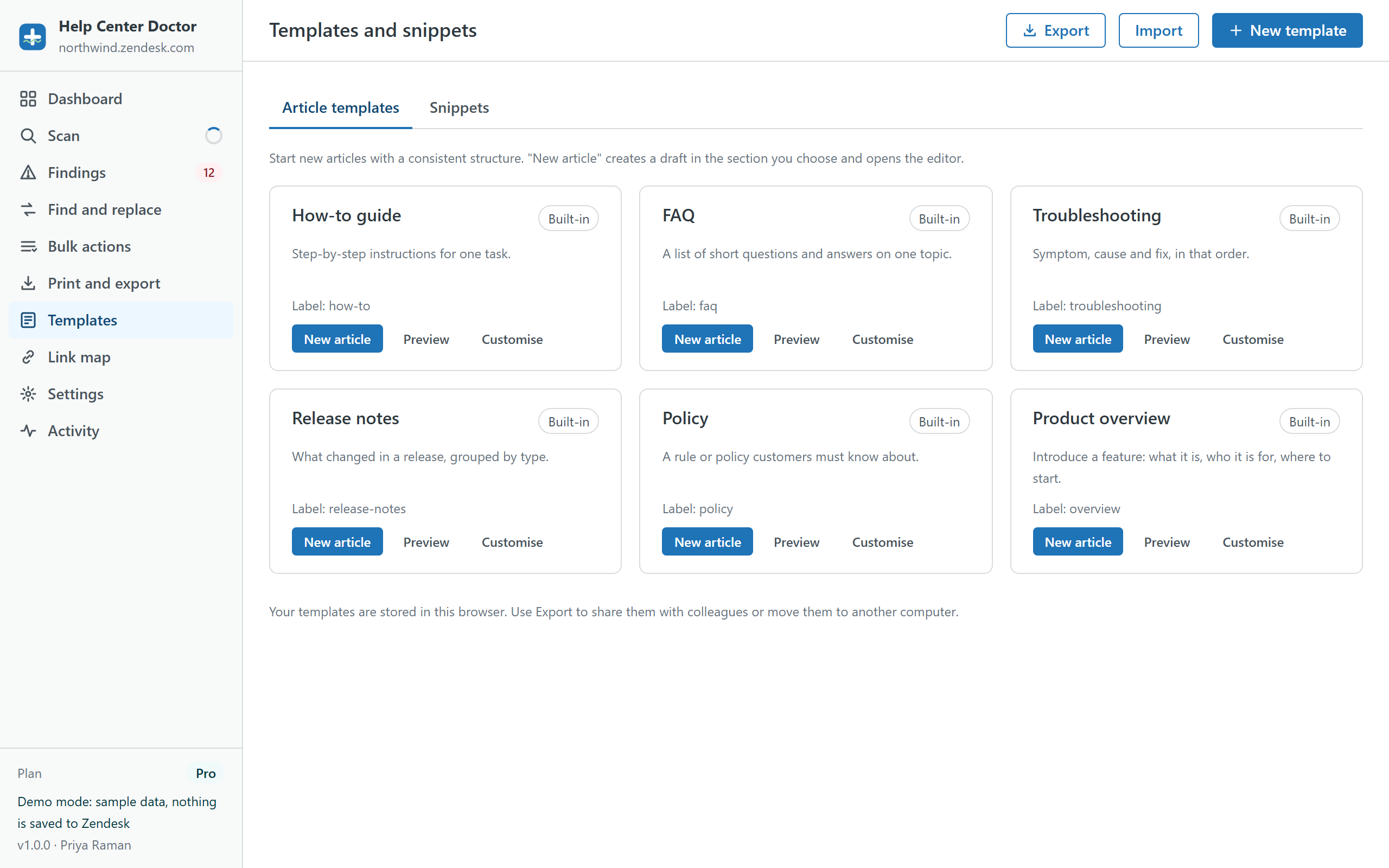
Article templates
Six built-in templates cover the most common article types: How-to guide, FAQ, Troubleshooting, Release notes, Policy and Product overview. Each has a default title, default labels and an HTML body written the way the Guide editor writes it (h2, p, ul, table). Preview shows the rendered result; Customise copies a built-in into an editable template of your own; New template starts from scratch.
Two placeholders are filled in when a template is used: {{date}} (today's date) and {{title}} (the title you type).
New article from a template
- Run a scan first so the app can list your sections.
- Click New article on a template, type the title, choose the section and, if your role has several, the permission group.
- The app creates the article as a draft through the Zendesk API and opens it in the Guide editor. Publish from the editor when the content is ready.
This is the only time the app writes to your help center without an apply dialog, and it never publishes anything by itself. Created drafts are listed in Activity.
Snippets
Six built-in snippets: note, tip and warning callouts, a steps table, a keyboard shortcuts table and a contact footer. Copy HTML puts the block on your clipboard; paste it in the article editor's source view (the </> button). Add your own snippets the same way as templates.
Sharing templates
Templates and snippets are stored in your browser, so a colleague on another computer does not see them automatically. Use Export to save your templates as a file and Import on the other side. Built-in templates are never exported; they are already there.