 Help Center Doctor
Findings
A finding is one rule firing on one article, translation, section or category. The Dashboard summarises them; the Findings screen is where you work through them.
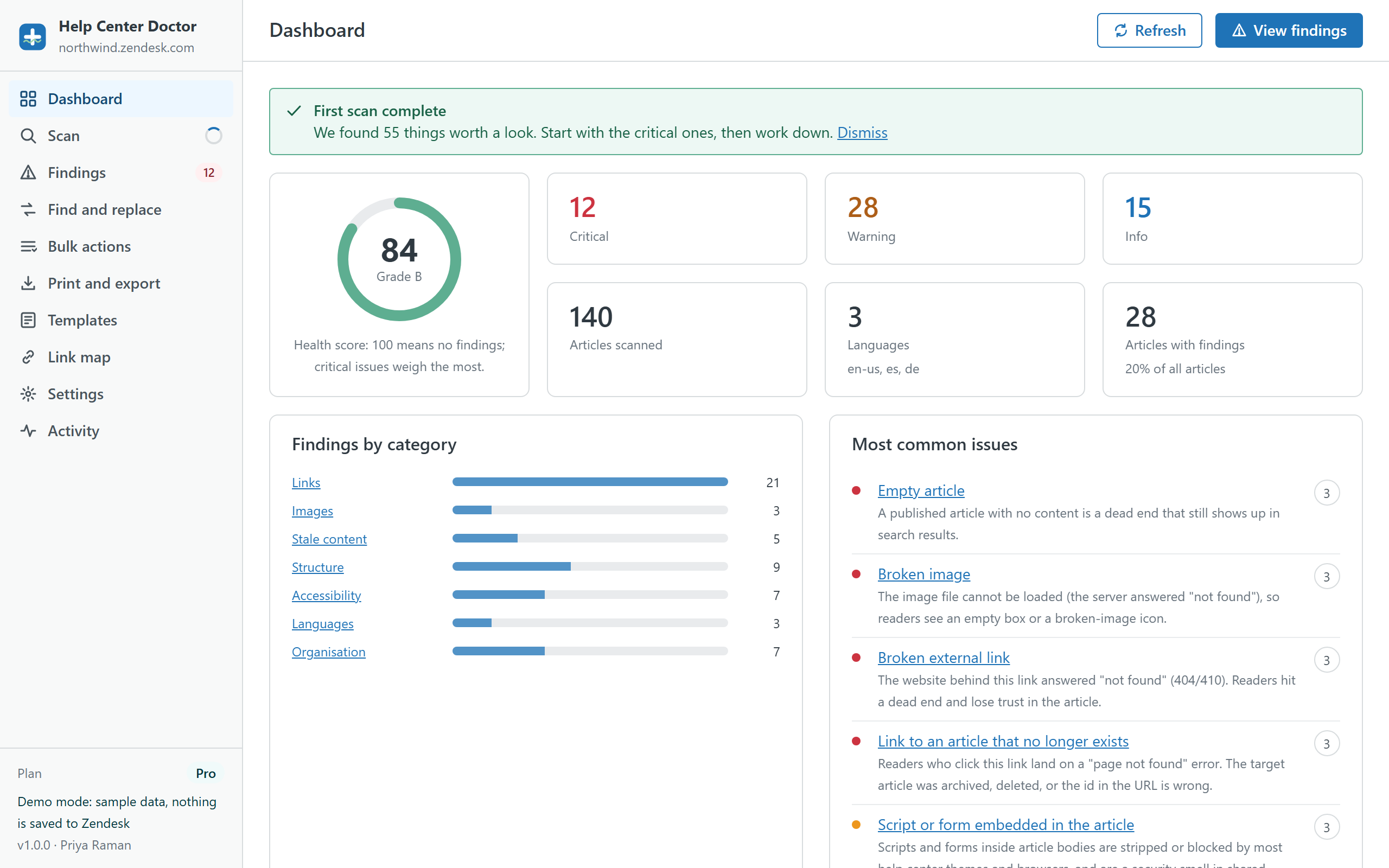
Health score and grade
The score runs from 0 to 100. Each finding costs points by severity: a critical finding weighs 3, a warning 1 and an info finding 0.25, spread over the number of scanned articles. One critical finding on every article gives a score of 0; no findings give 100. Grades: A from 90, B from 75, C from 60, D from 40, otherwise F. Rules you switch off are not counted.
Severities
- Critical readers hit an error or an empty page: missing link targets, broken external links and images, empty articles, articles in deleted sections.
- Warning the content works but is likely to mislead or exclude readers: stale or down-voted articles, missing alt text, missing or outdated translations, duplicate titles.
- Info quality and housekeeping: headings, inline styles, large images, long titles, unlabelled articles, unverified links.
Filtering and grouping
Search by title, message or URL, or type #id to see one article. Filter by severity, category, rule, language and section. Group by rule to fix the same problem across many articles, or by article to clean one article at a time. Each finding links to the Guide editor and to the public page.
Hiding findings and switching rules off
Hide a finding you have decided not to act on; it stays hidden across scans until you show it again from the filter bar or from Settings. If a rule does not apply to your help center at all (for example the labels rule when you do not use labels), switch it off under Settings, Rules. Thresholds for stale, short and long content are adjustable there too.
What the Free plan shows
All 34 rules run on every plan. On the Free plan, 14 of them show only their count; the article-by-article detail and the fixes need Pro. The features page lists which rules those are.
Fixing from here
Findings that have a fix show a button next to them (Replace link, Add alt text, Unpublish, and so on). Select several findings of the same kind and use Fix selected to handle them together. See the Fix Center guide.