 Help Center Doctor
Bulk actions
Filter, select, change many articles at once. Browsing and filtering is free; applying an action needs Pro or Business.
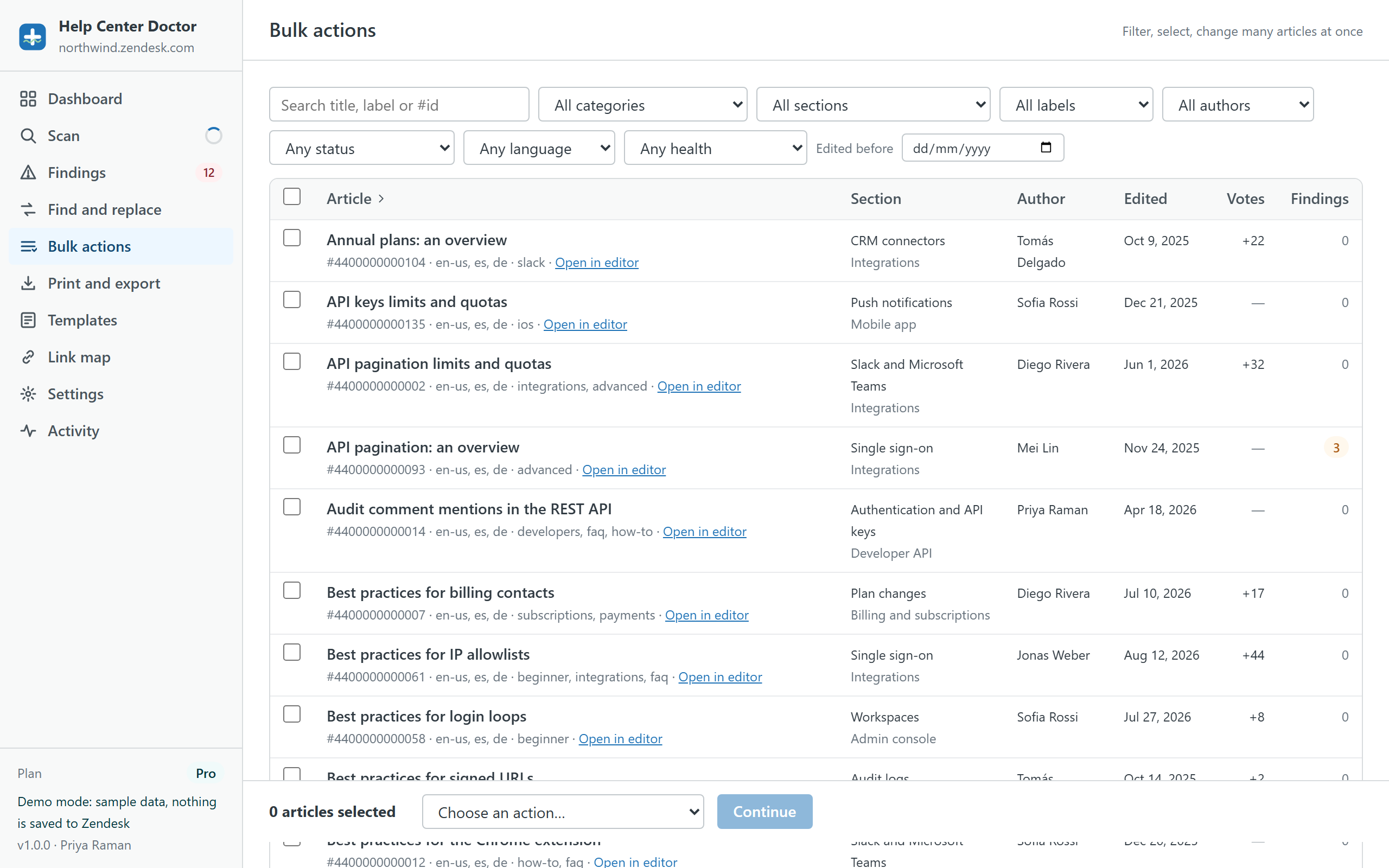
Filters
Search by title, label or #id, then narrow by category, section, label, author, status (published, draft, promoted, outdated translation), language, health (with findings, with critical findings, no findings) and edited before a date. The table shows section, author, last edit, vote balance and the number of findings for each article.
Tick rows one by one, or use Select all matching to select every article that matches the filters, including the ones not shown yet. There is no 30-article cap.
Actions
| Group | Action | Notes |
|---|---|---|
| Labels | Add labels | Existing labels are kept. |
| Labels | Remove labels | |
| Organise | Move to section | Any section in the scanned help center. |
| Organise | Change author | Only authors of existing articles are listed. |
| Permissions | Change visibility (user segment) | "Everyone" is always available; segments depend on what your role can read. |
| Permissions | Change permission group | Groups depend on what your role can read. |
| Status | Promote / unpromote | |
| Status | Enable / disable comments | |
| Status | Publish / unpublish | Unpublish sets the article to draft. |
| Status | Mark translations as current | Clears the "outdated" flag on translations you have reviewed. |
| Danger zone | Archive | Needs a separate acknowledgement; restore only in Guide. |
Preview and apply
Pick an action, fill in its input (labels, a section, an author and so on) and click Preview. The apply dialog lists one row per article with exactly what will change. Articles that already have the requested setting are skipped, so re-running an action is harmless. A snapshot is downloaded before the first write, and undo is available afterwards from Activity. Metadata actions never touch article bodies, so the content blocks acknowledgement does not appear.
Typical uses
- Label every article in a category so search and Answer Bot find them.
- Move a section's articles to a new structure before deleting the old section.
- Reassign articles from an author who left the company.
- Unpromote everything not edited in the last year (filter: promoted, edited before).
- Mark translations current after a cosmetic change to the source.