 Help Center Doctor
Find and replace
Search every scanned article and translation, preview the result article by article, then apply. Previewing is free; applying needs Pro or Business.
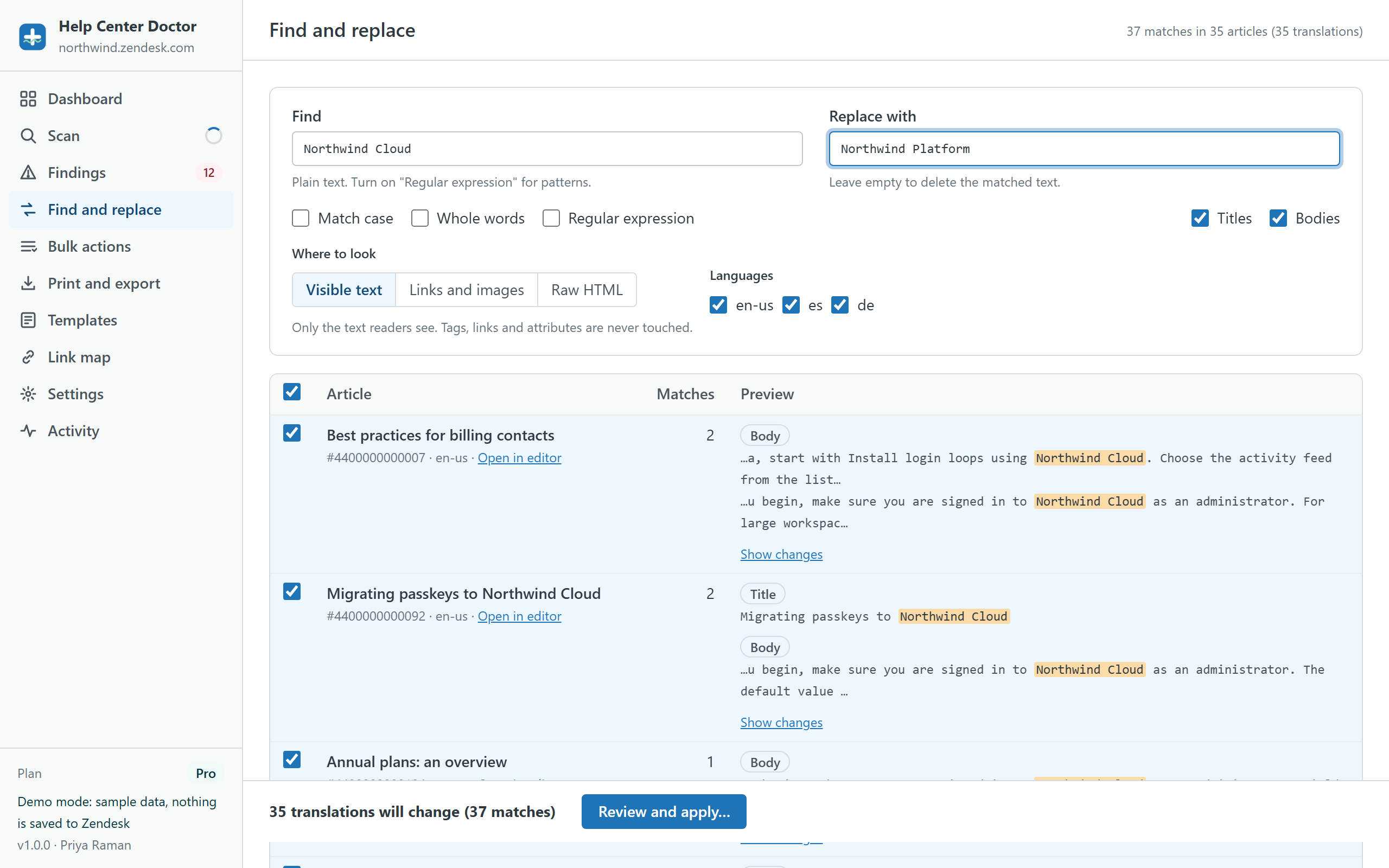
Search options
- Find and Replace with. Leave Replace with empty to delete the matched text.
- Match case, Whole words (Unicode-aware, so accented and non-Latin words work).
- Regular expression: a JavaScript pattern without the surrounding slashes. Use
$1,$2for captured groups and$&for the whole match in the replacement. Patterns that can match an empty string are rejected. - Titles and Bodies can be included separately.
- Languages: tick any subset of your enabled languages.
Where to look
- Visible text
- Only the text readers see. Tags, links and attributes are never touched. Safe for rebrands, product names, prices and wording.
- Links and images
- Only the address of links (href) and images (src), including iframes and videos. Ideal after a domain change or a move to a new file host.
- Raw HTML
- The HTML source itself. Powerful, and the only mode that can break markup. The app warns you, and the snapshot lets you restore, but review the preview first.
Preview
Matches are previewed live: a count per article and field, highlighted excerpts with context, and Show changes for a word-level diff. Rows are sorted by match count. Untick any row you want to leave alone. Only rows with real changes are listed in the apply dialog.
Applying
Review and apply opens the same dialog as every other change: one row per article translation, a snapshot download before the first write, the content blocks acknowledgement when bodies change, and undo afterwards from Activity. See the Fix Center guide.
Examples
- Rename a product: find
Northwind Cloud, replace withNorthwind Platform, scope Visible text, all languages. - Move to a new domain: find
old-help.example.com, replace withhelp.example.com, scope Links and images. - Update a support phone number in every language: find the old number with Whole words on, scope Visible text.
- Turn a legacy path into the new one with a capture group: regular expression
/hc/en-us/articles/(\d+)-old-replaced by/hc/en-us/articles/$1-, scope Links and images.