 Help Center Doctor
Print and export
Print, PDF, HTML, Word and Markdown versions of your own articles, built in your browser from the scanned content. Free prints one article at a time; Pro and Business build documents of up to 200 articles in every format.
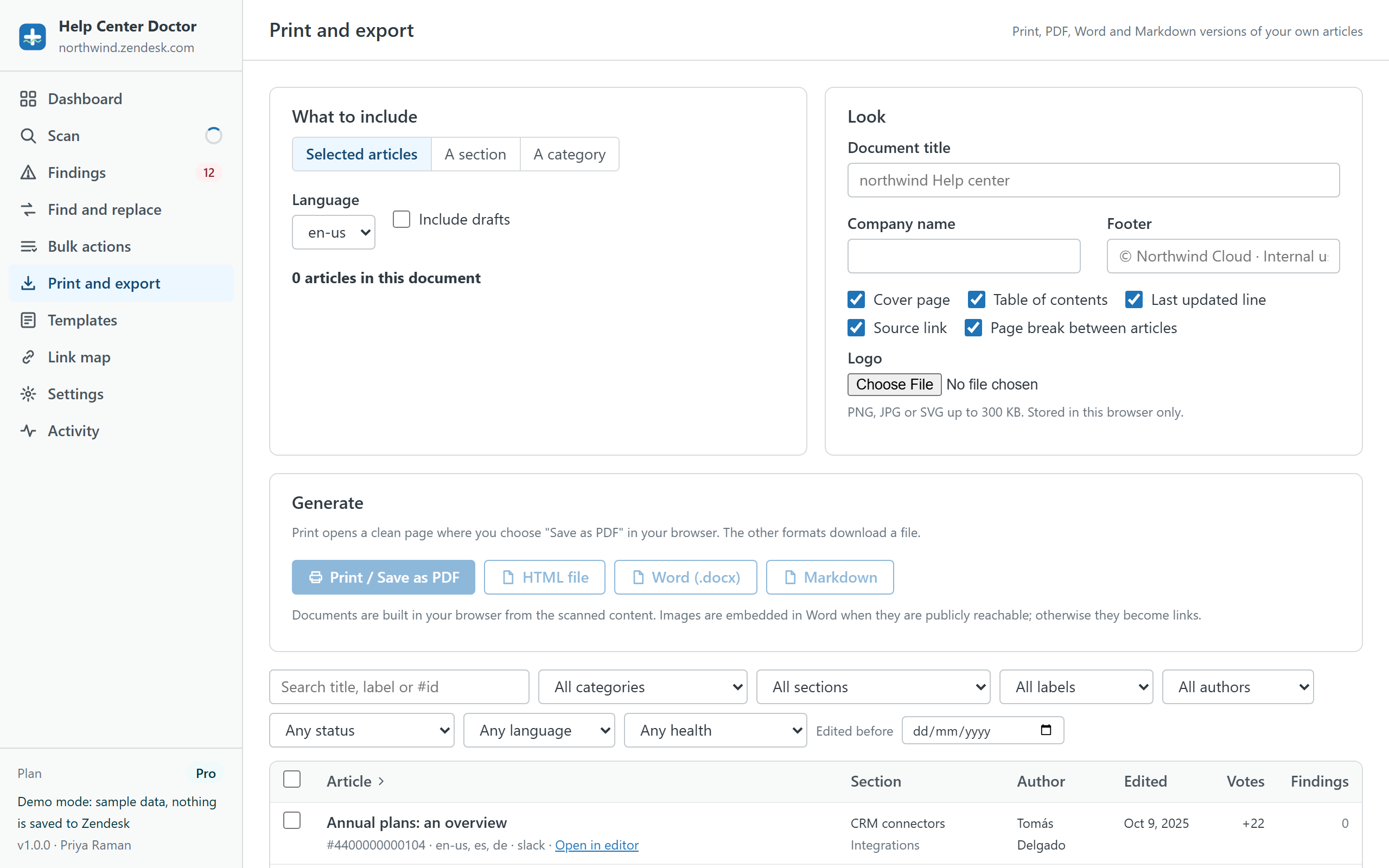
What to include
- Selected articles: tick them in the table below the options, with the same filters as bulk actions.
- A section or a category: everything published in it, grouped and ordered as in your help center.
- Language: one language per document. Include drafts adds unpublished articles.
Look
Document title, company name and footer text; a cover page; a table of contents; a "last updated" line and a source link under each article; a page break between articles; and a logo (PNG, JPG or SVG up to 300 KB, stored in your browser only). Every article body is sanitised before it goes into the document.
Formats
- Print / Save as PDF
- Opens a clean page with print styling and a Print button. Choose "Save as PDF" in your browser's print dialog. The PDF quality is your browser's; page size, margins and headers come from the print dialog.
- HTML file
- A single self-contained file with the same styling. Handy for intranets or for printing later.
- Word (.docx)
- Headings, lists, tables, links, code, quotes and callouts, with bookmarks for the table of contents. Opens in Word, LibreOffice and Google Docs. Images are embedded when they are publicly reachable (up to 150 per document); otherwise they become links.
- Markdown
- One CommonMark file with GFM tables, for wikis, Git repositories or AI tooling.
Limits
- Up to 200 articles per document on Pro and Business; one article on Free. Split larger sections into several documents.
- Large documents can take a few seconds to build and may be slow to print.
- If your browser blocks the print window, the document is downloaded as an HTML file instead; open it and print from there.
Privacy
Documents are built from the scanned content in your browser and saved to your computer. Nothing is uploaded. Documents are meant as copies of your own articles for offline reading, review and archiving, not as a bulk export of your help center.