 Help Center Doctor
Bulk update Zendesk help center articles beyond the page limit
Moving a section, relabelling a product line, promoting a set of articles or archiving an old category means touching hundreds of articles. Guide's bulk actions work a page at a time; the API does the rest. This page shows both, the mistakes that cost people an afternoon, and how to do it with a filter, a preview and undo.
What Guide's bulk actions do
In Guide, Manage articles lets you tick articles in the list and apply an action to the selection: publish, unpublish, move to another section, add or remove labels, change who can view or edit, promote, archive. Two limits show up as soon as the job is real:
- The selection is one page of the list. You can only tick what is on screen, so a 400-article job is a dozen rounds of filter, tick, apply, next page. A long-standing community request asks for "publish in section" and other bulk actions across a whole filter.
- No preview and no undo. The action applies immediately. If the filter was wrong, you fix it by hand.
For a one-off job on fewer than a hundred articles, Manage articles is still the quickest route. Filter by section, label or status first so each page is exactly what you want to change.
What the API does
Everything the bulk actions do, and a few things they do not, is one call per article. List what you want to change, check the list, then loop.
- List the articles.
GET /api/v2/help_center/{locale}/sections/{section_id}/articles.jsonfor a section, orGET /api/v2/help_center/articles/search.json?query=...&label_names=...for a search. Page through withnext_page; the default page size is 30, the maximum is 100. - Change article-level fields.
PUT /api/v2/help_center/articles/{id}.jsonwith a body such as{"article": {"section_id": 123, "label_names": ["billing"], "promoted": true, "user_segment_id": null, "permission_group_id": 456}}. Section, labels, promotion, visibility and editing permissions live on the article and apply to every language at once. - Publish or unpublish a language. Publication is per translation:
PUT /api/v2/help_center/articles/{id}/translations/{locale}.jsonwith{"translation": {"draft": false}}publishes,trueunpublishes. Do not send the body unless you mean to change it (see the mistakes below). - Archive.
DELETE /api/v2/help_center/articles/{id}.jsonmoves the article to Archived; it is not destroyed and an admin can restore it from Manage articles › Archived. There is no bulk archive endpoint; loop.
Rate limits apply per account and per plan; a loop with a short pause between calls, and a retry on HTTP 429 that honours the Retry-After header, handles a few thousand articles in minutes. Use an admin's credentials for the run and write down the ids you changed so you can put them back.
Four mistakes that cost an afternoon
- Sending the body when you only wanted to publish. Any update that includes
bodyflattens content blocks into plain HTML in that translation. Publish withdraftalone. - Moving articles into a section that a different user segment can see. The article keeps its own
user_segment_id; readers of the new section may not see it, or may suddenly see something internal. Decide the segment as part of the move. - Archiving without checking inbound links. Every article that linked to the archived one now sends readers to a "page not found". List backlinks first, or run a link check right after.
- Relabelling by hand in several languages. Labels belong to the article, not the translation; one call per article is enough. The same is true of promotion and section.
Doing it with a filter, a preview and undo
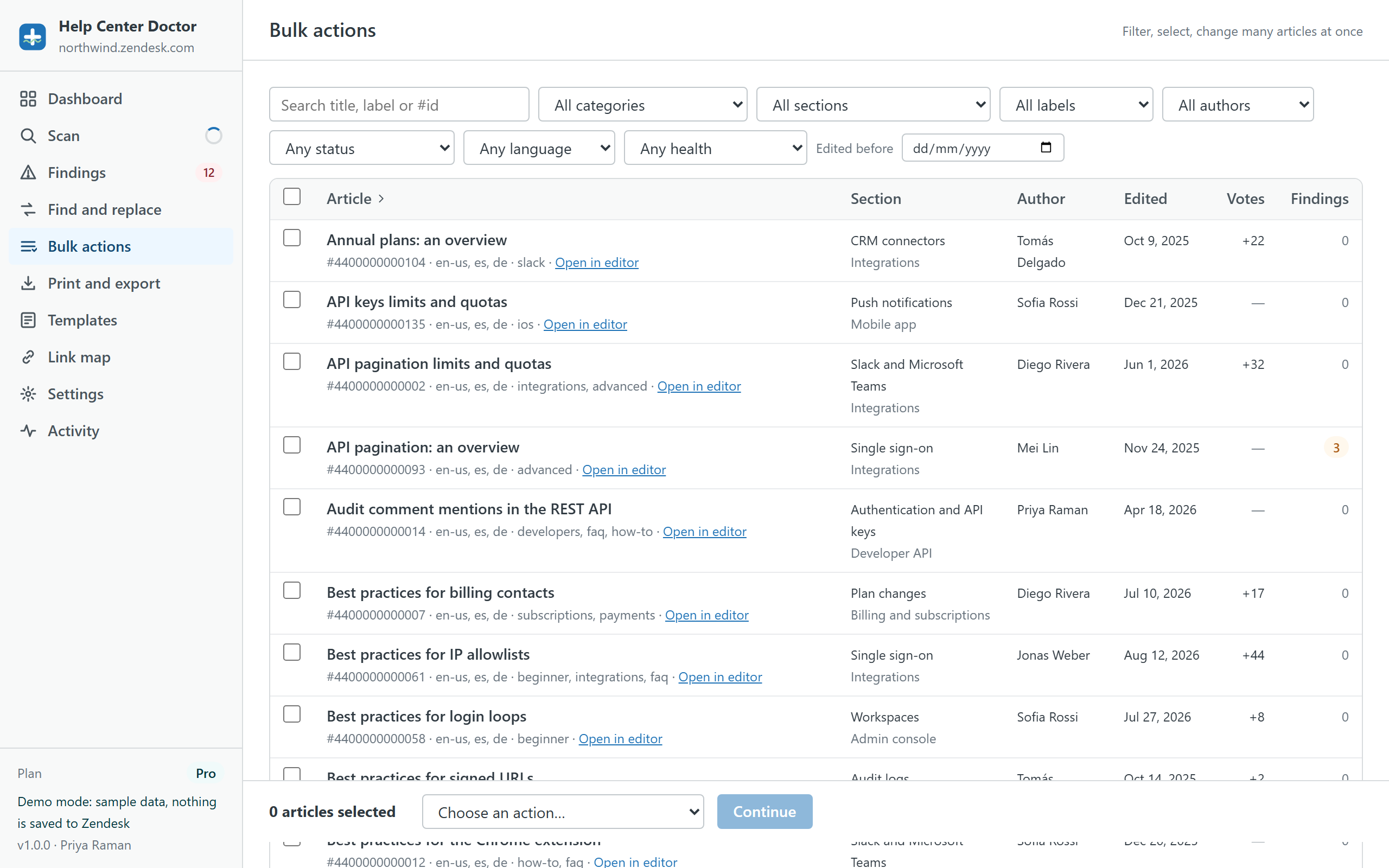
Help Center Doctor has a Bulk actions module for exactly this: filter by section, category, label, language, status or a finding from the scan; select all matches, not one page; choose the action (move, add or remove labels, promote, publish or unpublish a language, archive); read the preview of what will change; apply. A snapshot of every touched article is downloaded first and the run appears in Activity with an Undo button. The link map shows which articles link to the ones you are about to archive, so nothing goes dark.
Bulk actions are on the Pro plan ($29 per account per month, 14-day trial); the scan, the link check and single-article print are free. Related guides: find and replace across articles, finding broken links, the help center audit checklist.
Try the bulk actions on sample data
The demo runs the real app on a generated help center with planted problems. Filter, select, preview and undo without touching your account.