 Help Center Doctor
Find and fix broken links in your Zendesk help center
Articles get archived, sections get renamed, external pages move. Zendesk Guide does not tell you when a link in an article stops working. Help Center Doctor does, and fixes it from the same screen.
The problem
A help center is a web of links: article to article, article to section, article to your product, your docs, your legal pages. Every archive, move or rebrand silently breaks some of them. Readers land on "page not found", agents stop trusting the knowledge base, and search engines mark the pages down. Nobody notices until a customer complains.
Zendesk customers have been asking for a native checker for years:
In May 2023 a Zendesk product manager replied that the request was logged but no work was planned in the near future. In March 2026 another product manager wrote that detection of broken URLs is on the 2026 Knowledge copilot agenda. As of September 2026 there is no native checker in Guide.
How people handle it today
- Clicking through articles by hand. Works for fifty articles, not for two thousand, and misses links in translations.
- Generic website crawlers. They see only the public help center, so articles restricted to signed-in users show up as errors, and many sites block crawlers outright.
- A free CSV export from a vendor. Swifteq's free Help Center Export emails you a CSV with a list of broken links, generated on the vendor's servers. You still fix each link in the editor.
- A paid detection app. Lotus Themes' Help Center Health Check ($29 per month, as shown on the marketplace on 2026-09-05) detects broken links and images and links you to the editor.
How Help Center Doctor solves it
- Internal links are checked against your own index. Links to archived or deleted articles, sections and categories, to drafts, to articles restricted to a narrower user segment, to anchors that do not exist and to retired help center domains are all separate rules with clear explanations.
- External links and images are checked through Zendesk's request proxy, with results cached for 7 days. Only a definite "not found" is reported as broken; login walls, bot protection and timeouts are reported as "unverified", so you never remove a working link.
- Fix without leaving the list. Replace the link (the app suggests articles with a similar title), remove the link and keep its text, publish the draft target, switch http to https, update the retired host, or fix the anchor. Do it for one finding or for every finding that points at the same URL.
- Safe by default. Every change is previewed with a diff, a snapshot file is downloaded before the first write, and undo is one click away.
- Prevent the next one. The link map shows which articles link to the one you are about to archive, so you can redirect those links first.
- Nothing leaves your account. The app runs in your browser inside Zendesk. No vendor account, no API key, no copy of your articles on anyone's servers.
Detection is free for help centers up to 200 articles. Fixing, and unlimited articles and languages, are on the Pro plan at $29 per account per month. See the full list of rules and the Fix Center guide.
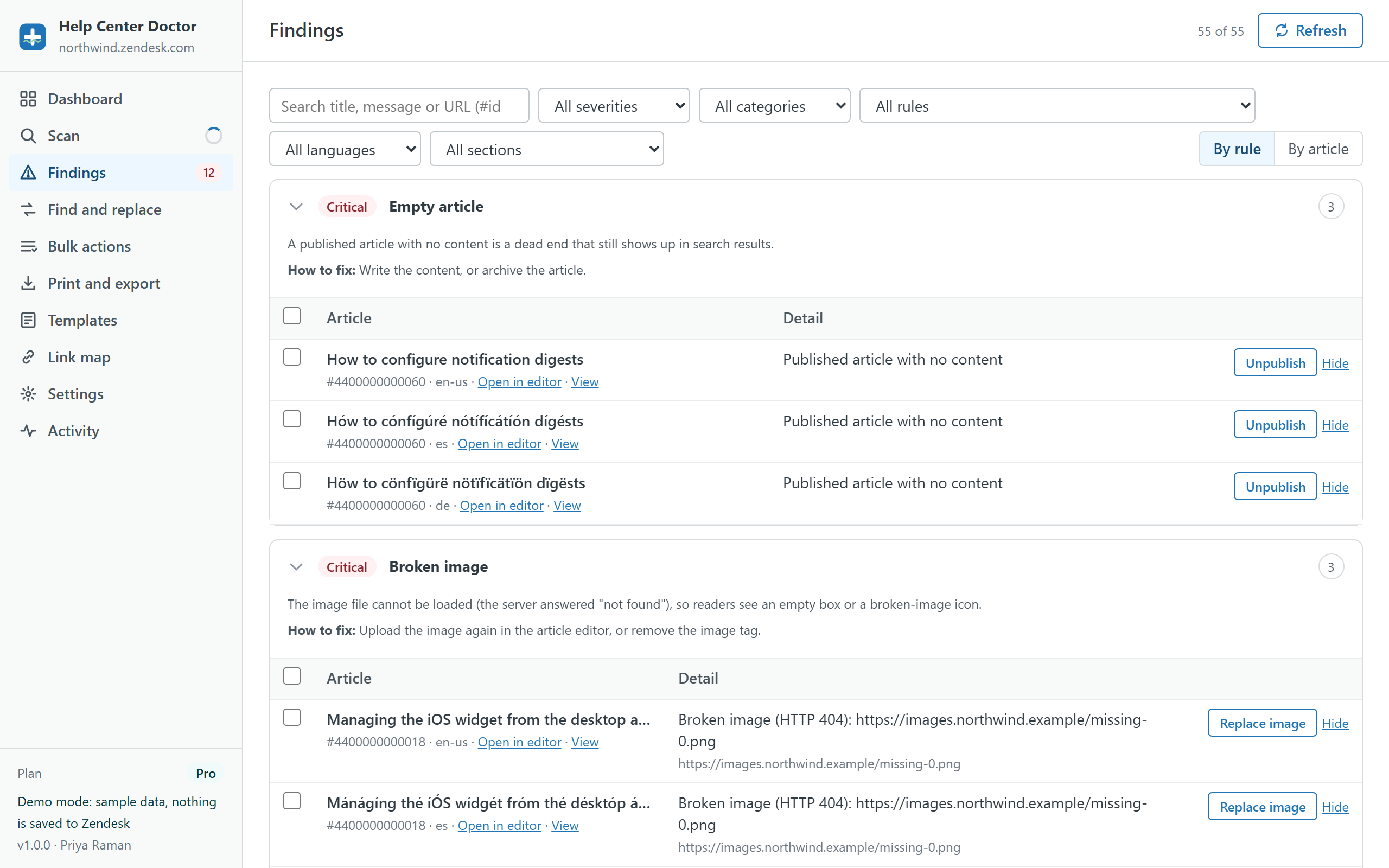
See the broken links in a sample help center
The demo runs the real app on generated data with planted broken links, images and anchors. Fix them and watch the score climb.