 Help Center Doctor
Zendesk is discontinuing the Proactive Tickets app on 21 October 2026: what to use instead
If your team uses the Proactive Tickets app from the Zendesk Marketplace to e-mail groups of customers, it stops working on 21 October 2026. This page explains what changes, what does not, the options for after that date with their prices as listed, and a plan to move in 20 minutes without losing a campaign.
34 days left, counted on 17 September 2026.
What is happening
On 7 April 2026 Zendesk announced the discontinuation of seven Built-by-Zendesk apps, among them Proactive Tickets, the free Marketplace app that let agents create a ticket for each user in a list and e-mail them in one go. The timeline in the announcement: no longer available for download since 7 April 2026, no longer supported after 30 June 2026, and it stops functioning after 21 October 2026. Zendesk's stated reason is low usage and capabilities moving into the Agent Workspace; its suggested replacement is the bulk-create tickets API or a custom app built on it (Zendesk published an App Builder recipe on 24 April 2026 with the note that it cannot guarantee the recipe keeps working over time), and it notes that Support has no native bulk-ticketing tool. This guide is written by an independent developer and is not affiliated with or endorsed by Zendesk; the announcement is the authoritative source for dates.
What stays and what stops
- Tickets already created stay. They are ordinary tickets in your account, with their tags, comments and replies. Views, triggers and reports that use them keep working.
- The triggers stay. The standard "Notify requester of new proactive ticket" trigger is part of Zendesk, not of the app. Any tool that creates a public ticket on a user's behalf can keep using it.
- The app's own screens stop. Saved audiences, message drafts and campaign lists inside the discontinued app are gone once it is removed. Copy what you need before 21 October: the audiences you use most (tags, organizations, saved searches) and the messages you send regularly.
- Nothing changes in the API. Bulk ticket creation, search and job statuses are unchanged; that is what every replacement, including ours, is built on.
Your options, side by side
Prices and facts as shown on each vendor's Marketplace listing and website on 10 September 2026; check them before you decide. Proactive Outreach is our app, so read that column knowing who wrote it.
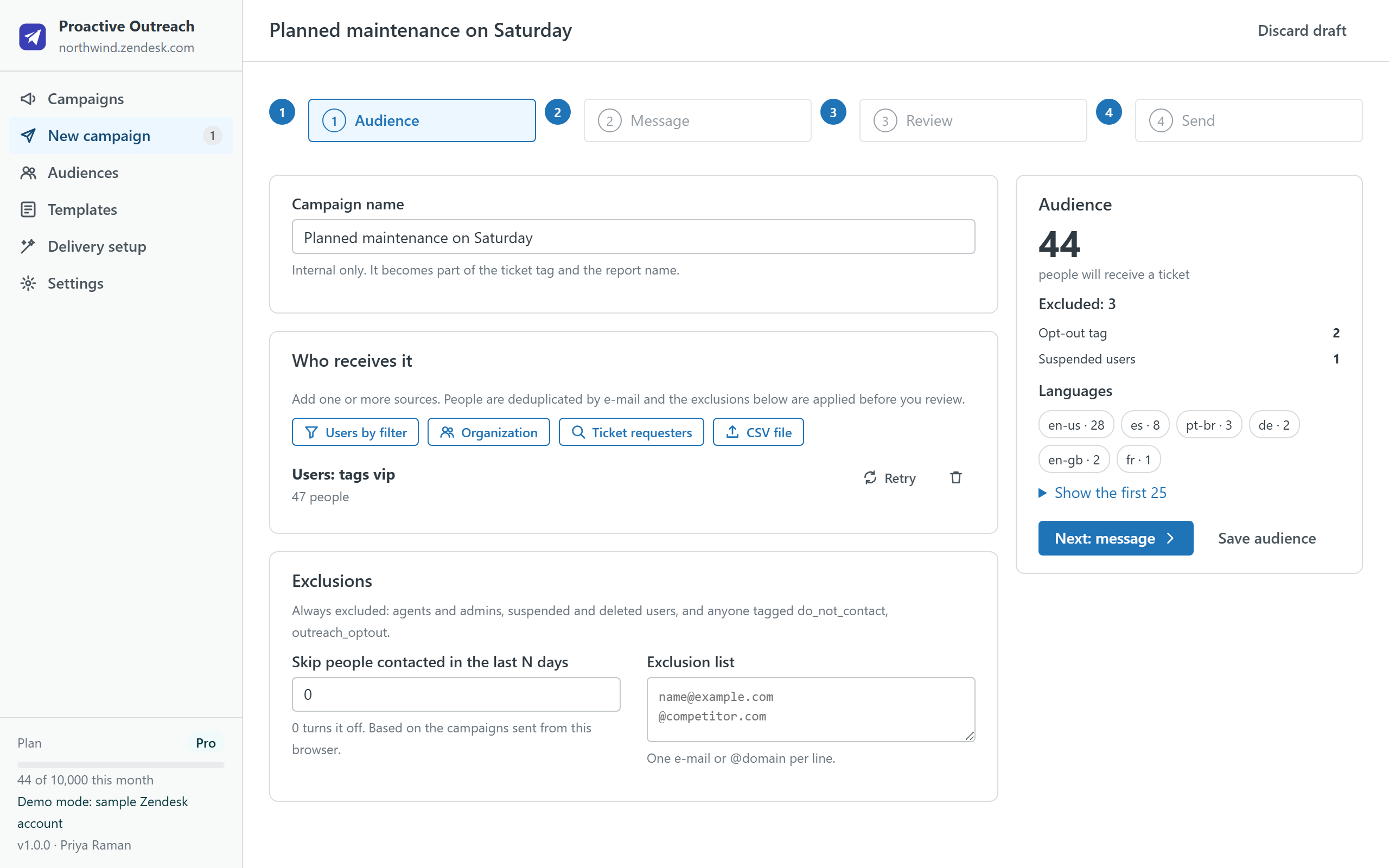
| Proactive Outreach (this developer) | GrowthDot Proactive Campaigns | Sparkly Proactive Bulk Tickets | Your own script or App Builder app | |
|---|---|---|---|---|
| Where it runs | Inside Zendesk Support, in the agent's browser. No server, no vendor account. | Vendor-hosted; data on the vendor's servers. | Vendor-hosted. | Wherever you run it. |
| Pricing model | Per account per month: Free (200 tickets a month), $19 (1,000), $49 (10,000), $99 (50,000). 14-day trial on paid plans. | Per agent with app access: $5, $15 or $25 per agent per month on the vendor's site; 14-day trial. | Per account: $99 or $199 per month on the listing (a higher tier on the vendor's site), with monthly ticket caps; 7-day trial. | Engineering time. Zendesk's own recipe warns it may stop working as App Builder changes. |
| Audience | User filters (tags, organizations, language, dates), organizations, requesters of tickets, CSV files; deduplicated by e-mail; exclusions and opt-out tags applied before sending. | Filters and lists in the vendor's interface. | Lists in the vendor's interface. | Whatever you code. |
| Message | Placeholders with fallbacks, a variant per language (Pro), macros as templates, test ticket to yourself. | Templates, A/B tests, drip sequences. | Templates. | Whatever you code. |
| Delivery | Batches through the bulk-create API with rate limiting; pause, resume and crash recovery without duplicates. The tab stays open while it sends. | Scheduled sends, SMS. | Bulk sends. | You handle rate limits, retries and duplicates. |
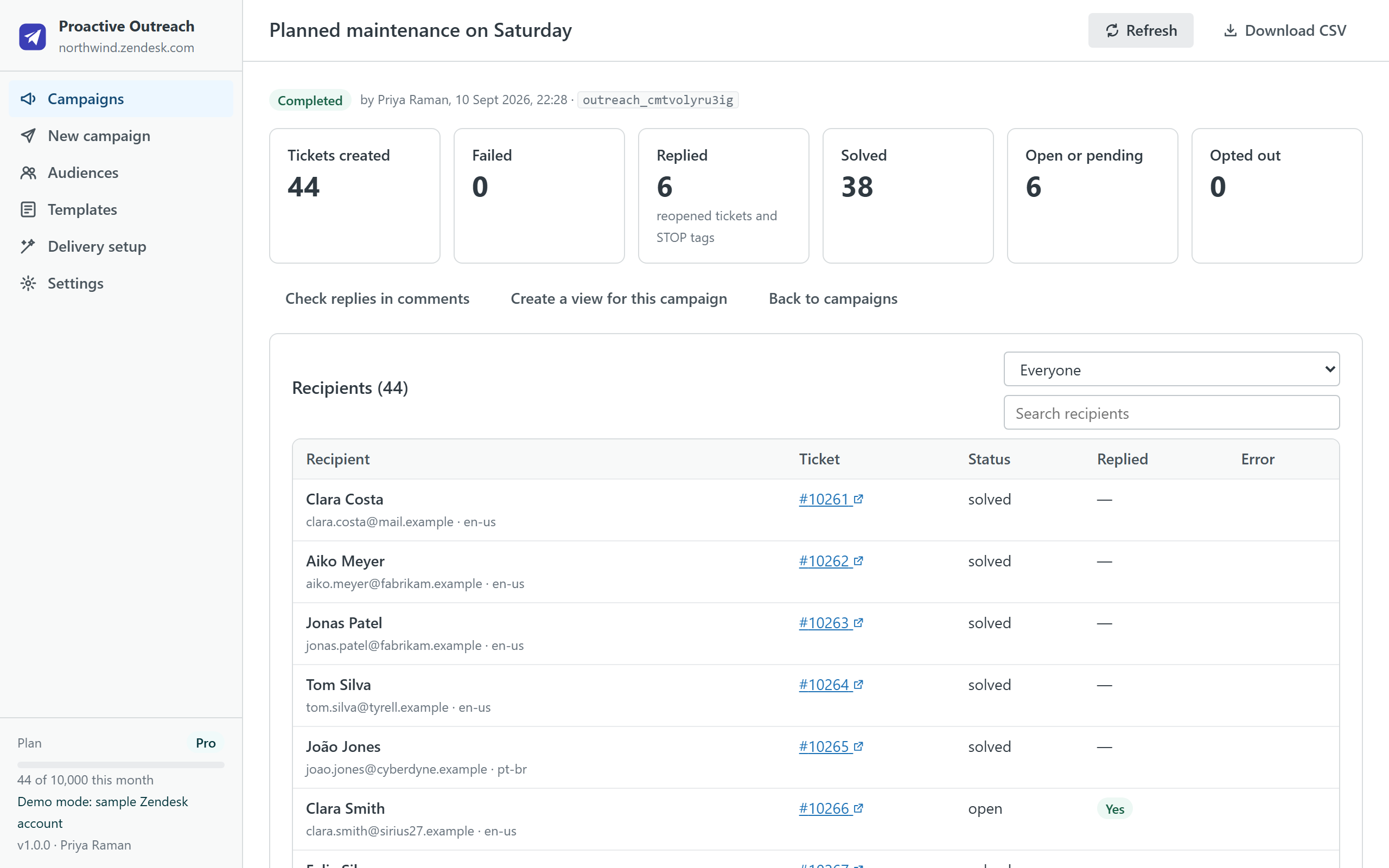
| After sending | Report with created, failed, replied, solved and opted-out counts; retry of failures; a Zendesk view per campaign (Pro); STOP replies tagged by a trigger the app creates for you. | Open and click tracking, reports. | Reports. | Explore reports on the tags you set. |
| Not included by design | No open or click tracking, no scheduling in version 1. | Data leaves your account. | Data leaves your account. | Everything is on you. |
| Listing | Marketplace listing (live since 18 September 2026) | Marketplace listing | Marketplace listing | API reference |
How to choose in one minute
- Choose GrowthDot if you run marketing-style campaigns where open and click tracking, scheduling and A/B tests matter more than keeping data inside your own account, and your team is small enough for per-agent pricing.
- Choose Sparkly if you want a vendor-hosted tool priced per account and its monthly caps match your volume.
- Write your own if you have engineers, a low volume and time to get exclusions, duplicates after a crash, rate limits and opt-outs right.
- Choose Proactive Outreach if you want the tickets created from inside Support with your own session, nothing leaving the account, a free plan that covers the long tail the discontinued app served, and a report that counts replies and opt-outs.
- Do nothing if you sent a campaign once a year. Keep the ticket history; when the next incident comes, pick one of the options above.
Move in 20 minutes
The full walkthrough with screenshots is on its own page: Migrate from the Proactive Tickets app to Proactive Outreach in 20 minutes. The short version:
Copy your audiences and messages
While the old app still opens, write down the tags, organizations and searches you use and paste your regular messages into a document. Three minutes.
Check the delivery setup
Proactive Outreach checks that the notification trigger is active and creates a tag-scoped one if it is missing, plus the STOP-reply trigger, each with one click from Delivery setup.
Decide who may send
A campaign to thousands of customers should not be one click away for every agent. Restrict sending to a group and set the opt-out tag.
Run a five-person test
Send a test ticket to yourself, then a campaign of five colleagues: check the sender address, the subject, the placeholders, the ticket status and where replies land.
Send the first real one small
Under 100 people. Read the report, then scale.
Questions
Will customers notice a difference? No. A proactive ticket is a ticket created on the customer's behalf with a public comment; the e-mail they receive comes from your trigger and your support address, whichever tool created the ticket.
Can I import my old campaigns? The discontinued app has no export. The tickets it created remain searchable, for example by the tags you used; Proactive Outreach can build an audience from the requesters of those tickets, which is often what "send it again" means.
Can I keep using the app after 21 October? Zendesk says it stops functioning after that date. Plan the move before, while the app still opens and you can copy your audiences out.
Where do I ask something? support@helpcenterdoctor.app, answered within one business day.
Proactive Outreach is on the Zendesk Marketplace
Install it from the Marketplace in two minutes. Free covers 200 tickets a month; paid plans start with a 14-day trial and are billed by Zendesk.