 Help Center Doctor
Article templates inside Zendesk Guide
Release notes, service disruptions, how-to guides and policies follow the same shape every time. Guide starts every article from a blank page. Help Center Doctor starts it from a template, in the right section, as a draft.
The problem
Consistency is what makes a help center easy to scan: the same headings in the same order, the same callouts, the same closing section. Without templates every writer invents their own structure, and every review round starts with fixing structure instead of content.
In 2018 a Zendesk product manager wrote that wider use of article templates had been discussed internally. A user in the same thread described "service disruption" and "release notes" articles that always follow the same layout and sections. In September 2026 there is still no template feature in Guide.
How people handle it today
- Copy an old article and delete its content. Fast, until someone forgets to delete a paragraph or publishes the copy by accident.
- Keep "template" articles in a hidden section. They show up in scans, searches and exports, and every agent can edit them.
- Content blocks (Guide Enterprise) for reusable pieces of content. Useful for shared blocks, not for the skeleton of a new article, and only on Enterprise.
- A document outside Zendesk with the structure to copy and paste, which drifts from what is actually published.
New: a dedicated app. Help Center Article Templates has the same templates and snippets plus fill-in placeholders, drafts in several languages at once and a library shared with the whole account, from $0 (Free) and $9 per month (Pro). The templates screen described below is still part of Help Center Doctor.
How Help Center Doctor solves it
- Six built-in templates: How-to guide, FAQ, Troubleshooting, Release notes, Policy and Product overview, each with a default title, default labels and a body written the way the Guide editor writes HTML.
- Your own templates. Customise a built-in or start from scratch. Use
{{date}}and{{title}}placeholders; they are filled in when the article is created. - New article in one click. Type the title, pick the section and permission group, and the app creates a draft through the Zendesk API and opens the Guide editor. It never publishes by itself.
- Snippets for the editor. Note, tip and warning callouts, a steps table, a shortcuts table and a contact footer, copied as HTML for the editor's source view.
- Share by file. Templates live in your browser; export them for colleagues or another computer, import them on the other side. No shared "template" articles polluting your help center.
- Nothing leaves your account. Templates are stored in your browser; the only thing written to Zendesk is the draft you asked for.
Browsing the built-in templates is free. Creating articles from templates and saving your own is on the Pro plan at $29 per account per month. See the Templates guide.
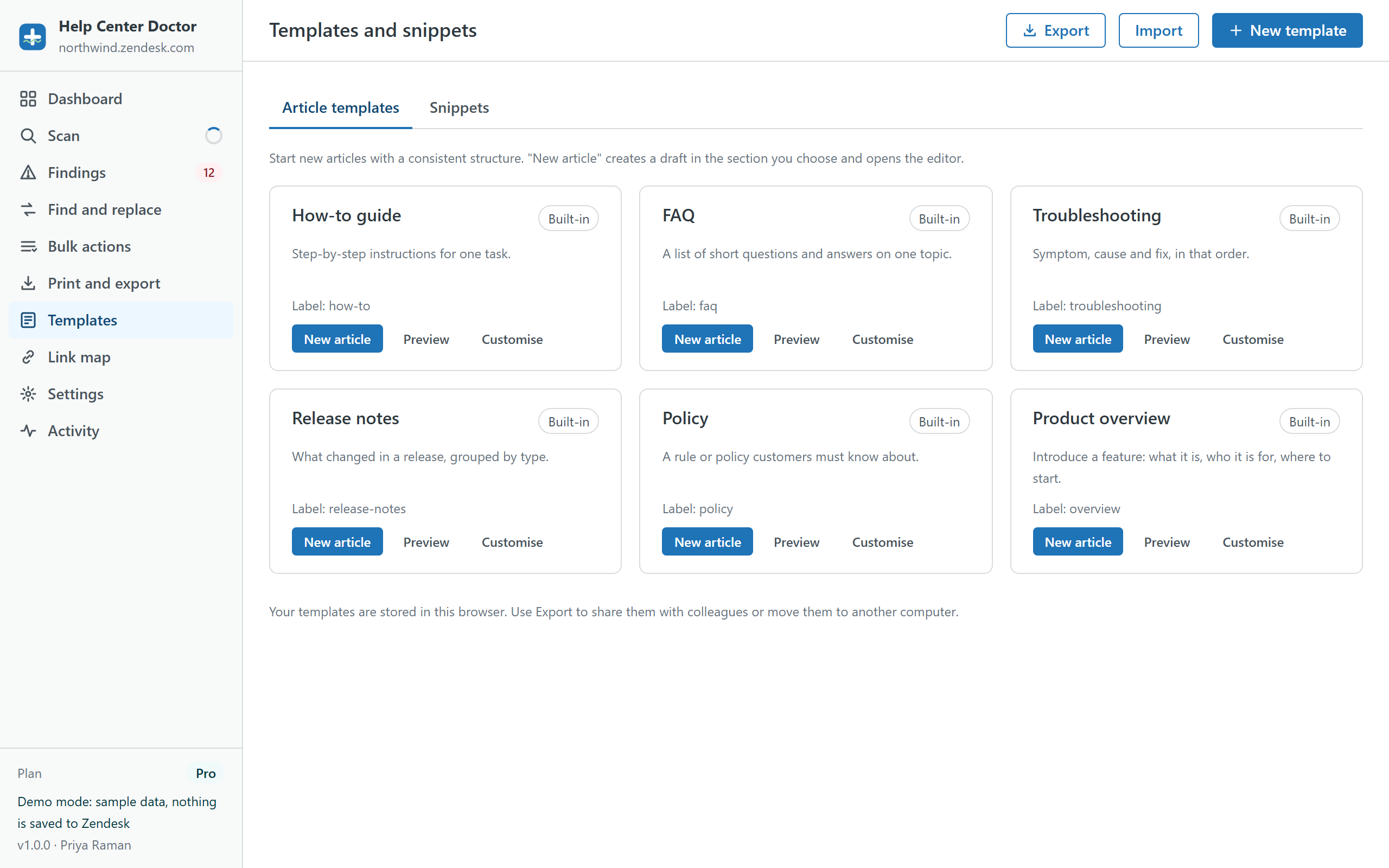
Create a draft from a template in the demo
Pick the Release notes template, give it a title, choose a section and see the draft appear. Nothing is saved anywhere.