 Help Center Doctor
Export Zendesk articles to PDF, Word and Markdown
A customer wants the manual as a PDF. Legal wants a dated copy of the policies. A partner wants the onboarding section in Word. Zendesk Guide has no export for any of it. Help Center Doctor builds the document in your browser.
The problem
Help center articles live only as web pages. There is no "download this section as a PDF" in Guide, no print-friendly view for a whole category, and no way to hand a set of articles to someone who works offline or needs a file for a contract, an audit or a translation vendor.
Zendesk replied in March 2022 that PDF export was not on the roadmap, and in August 2025 that it could not commit to prioritising easy printing. The largest thread is the most-liked help center request in this research and has been Parked for more than four years.
How people handle it today
- Printing each article page from the browser. One file per article, with the help center header, footer and navigation in it.
- A dedicated PDF app. Swifteq Articles PDF Export builds PDF manuals with cover pages for EUR 49 per month, or as part of Help Center Manager; it needs a Swifteq account and reads and stores article data on the vendor's side (as shown on the marketplace on 2026-09-05). Canary Apps' PDF Print Export for Guide produces print-ready PDFs of selected articles; the price is not shown on the listing.
- An end-user PDF button in the help center theme (ButtonPDF, $79 per brand per month on the vendor site), rendered on the vendor's server.
- Scripts against the API that dump article HTML, which then needs styling and conversion.
How Help Center Doctor solves it
- Pick what goes in. Selected articles, a whole section or a whole category, in one language, with or without drafts, up to 200 articles per document.
- Make it look like yours. Document title, company name, footer, your logo, a cover page, a table of contents, a "last updated" line and a source link per article, page breaks between articles.
- Four formats from the same document. Print / Save as PDF through your browser's print dialog, a self-contained HTML file, Word (.docx) with headings, lists, tables, links, code and callouts, and Markdown with tables.
- Built in your browser. The document is assembled from the scanned content on your computer and saved to your downloads folder. No upload, no vendor account, no copy of your articles anywhere else.
- Included in the price. Documents are part of the Pro plan at $29 per account per month alongside scanning, fixing, find and replace, bulk actions and templates. The Free plan prints one article at a time.
Documents are copies of your own articles for reading, review and archiving; the app is not a bulk export or backup tool. See the Print and export guide.
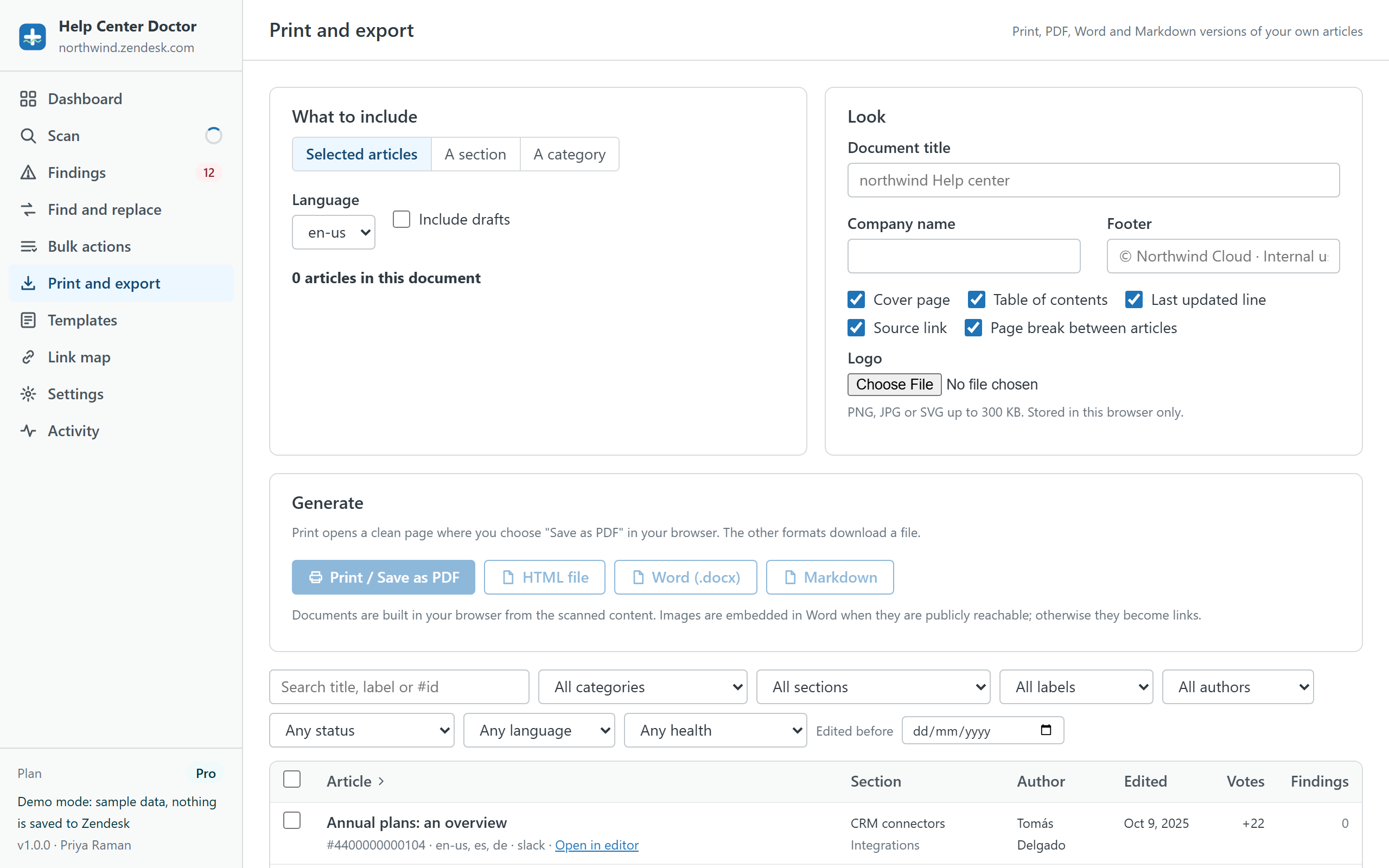
Build a PDF from the sample help center
Pick a category in the demo, turn on the cover page and table of contents, and print it. Then download the same document as Word and Markdown.